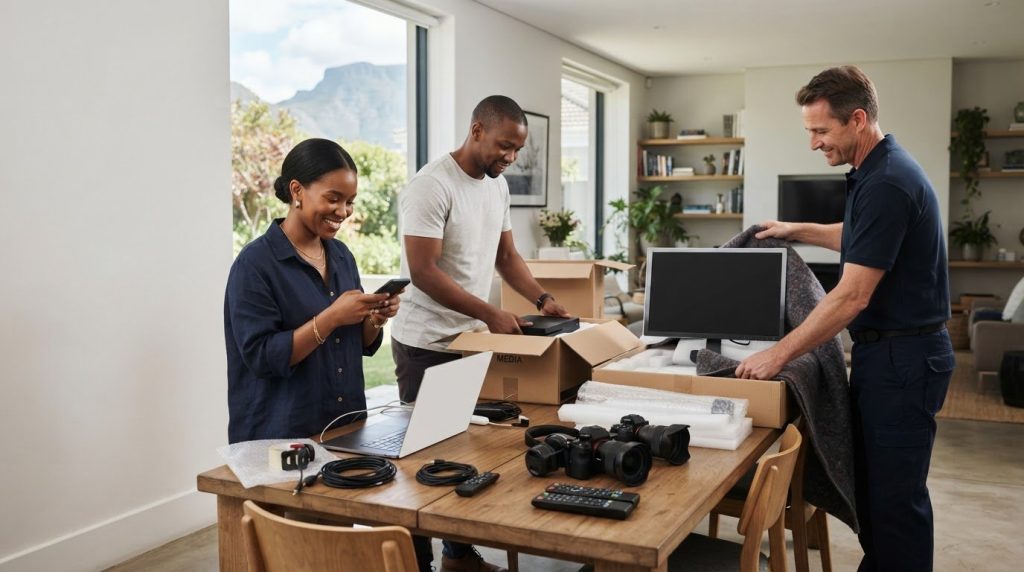
What if the hardest part of moving your electronics is finding the right cable when you arrive? If you’re working out how to pack electronics for moving, you may also be concerned about screens, delicate components and devices with batteries or removable parts. A simple plan can protect your equipment and make unpacking easier.
This guide covers each step, from backing up data and photographing cable connections to preparing devices, cushioning them for transit and labelling accessories. You’ll also learn how to keep each device’s cables together, so you can set it up without sorting through a box of loose leads. If your household has numerous or complex devices, professional packing and wrapping can be included in your domestic or international moving plan.
Key Takeaways
- To learn how to pack electronics for moving, follow a clear sequence: power down, disconnect, document connections and protect each device before packing.
- Choose suitable cushioning to limit movement and avoid pressure on delicate parts. Follow the manufacturer’s guidance for removable components and batteries.
- Keep each device’s cables, remote controls and accessories together, and label them so setup is easier at your destination.
- For a household with numerous or complex devices, Execu-Move’s professional packing and wrapping service can be part of your moving plan.
Why careful electronics packing matters during a move
A cracked television screen, bent port or missing power cable can make equipment difficult or impossible to use. Electronics may be costly or inconvenient to replace, and a device can be hard to set up even when it looks intact if a small connector or accessory has been damaged or misplaced. Careful packing helps limit movement inside the box, protect delicate areas from pressure and keep loose components together.
Use a consistent sequence: document connections, prepare devices, cushion them, then label the boxes. Follow the manufacturer’s instructions for each item, especially when preparing equipment with batteries or removable parts. Rather than placing several devices together in one carton, plan how each item will be supported and protected.
Which electronics need extra planning before moving?
Televisions, desktop computers, laptops, printers, consoles and audio equipment all need some preparation. Screens can be damaged by pressure, while protruding parts such as stands, trays and connectors can catch on other items or bear weight if packed carelessly. Devices with several cables can also be confusing to reconnect if their leads and accessories get mixed together. Before packing, note each item’s shape, removable parts and connections.
What to gather before disconnecting devices
Set aside original boxes where available, suitable cartons, cushioning and labels before you begin. Different packing materials serve different purposes, so choose cushioning that protects the device and fills excess space without pressing on a screen or delicate component. Take clear photos of the connections before unplugging anything. A close-up of the back of a television or computer can be especially useful when several cables look alike.
- Keep labels nearby so you can identify each item and its accessories.
- Check the manufacturer’s guidance before removing batteries or other parts.
How to prepare and pack electronics step by step
Prepare one device at a time. This makes it easier to keep its accessories together and reduces the chance of overlooking a component. Before packing, consider what you’ll need to use again and whether the device contains information you want backed up.
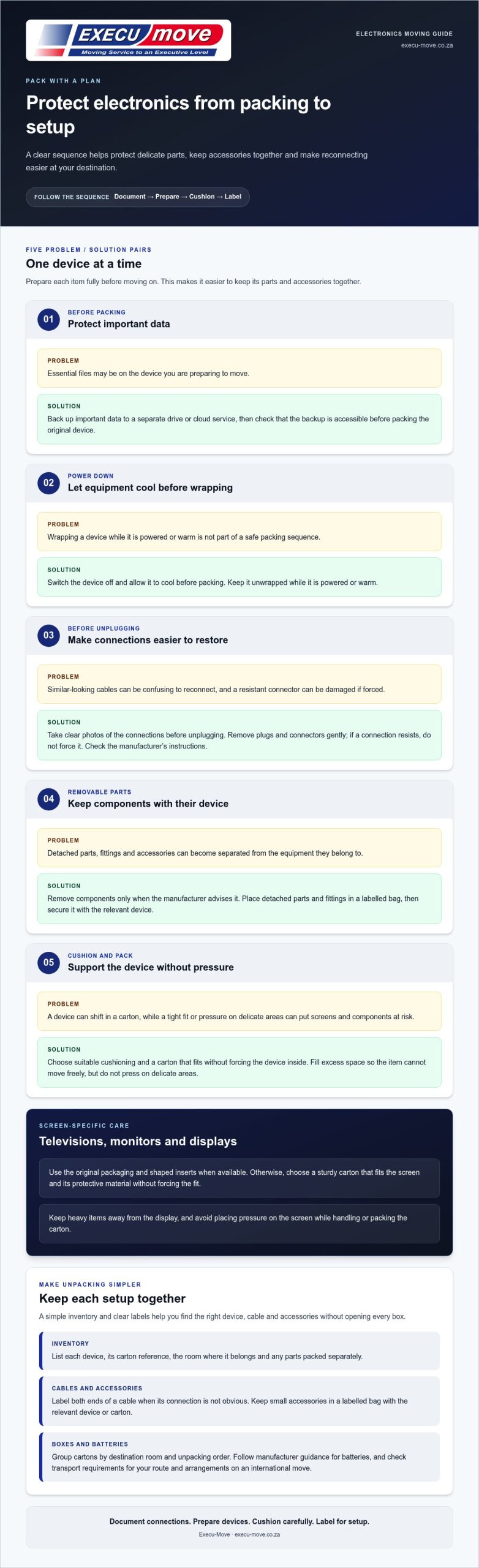
- Back up important data. Save essential files to a separate drive or cloud service before moving equipment. Check that the backup is accessible before you pack the original device.
- Power down and cool. Switch the device off and let it cool before packing. Don’t wrap equipment while it’s powered or warm.
- Disconnect carefully. Remove plugs and connectors gently. If a connection resists, don’t force it. Consult the manufacturer’s instructions.
- Prepare removable parts. Remove components only when the manufacturer advises it. Put detached parts and their fittings in a labelled bag, then secure the bag with the relevant device.
- Pack for a stable fit. Use suitable protection and arrange the device so it is supported without pressure on delicate areas. Fill gaps so the item cannot shift freely, but don’t force it into a tight carton.
A well-packed device should not move freely inside its carton. Keep the manufacturer’s instructions accessible, especially if setup involves several components or a particular order.
How to protect televisions, monitors and screens
Use the original packaging when it’s available, including the shaped inserts that hold the screen in place. Otherwise, choose a sturdy carton that fits the screen and its protective material without forcing the fit. Keep heavy items away from the display, and avoid placing pressure on the screen when handling or packing the carton. For additional general guidance on packing electronics, Colonial Van Lines’ packing guide discusses original boxes, protective materials and labelling.
How to pack computers, printers and consoles
For printers, check the manufacturer’s instructions before moving ink, paper trays or other removable components. Apply the same care to console accessories and detachable computer parts. Keep components secure, and don’t place anything where it could press against buttons, ports or a display. If you’re packing several devices, finish preparing one before starting the next so each item’s parts stay together.
For household moves, device preparation can be planned alongside domestic relocation arrangements.
How to organise cables, batteries and boxes for easier unpacking
Plan for the moment you need to find and reconnect your equipment. Make a simple electronics inventory that lists each device, its carton reference, the room where it belongs and any parts packed separately. For a workstation, for example, note the computer, printer and components that need to be brought together during setup. This gives you a quick reference without opening every box.
How to label cables so each one is easy to identify
Use the inventory to track which accessories belong to each device and whether anything is packed separately. Label both ends of a cable when it is not obvious what it connects to, and add a note if a device needs a particular component before it can be used, such as a power supply or remote control. Keep small accessories in a labelled bag with the relevant device or carton, rather than loose among larger items.
How to pack boxes for stable handling
Group cartons by destination room and the order you expect to unpack them. Keep items for one setup together where practical, and note if a box contains equipment you’ll need soon after arrival. Choose a carton that accommodates the device and its protective material without forcing components into place. Use clear handling notes where they’ll help with moving or unpacking the box.
Follow the manufacturer’s guidance for batteries, including whether they should be removed or left in the device. For an international move, check the transport requirements that apply to your route and arrangements, as these can vary. Record battery-related instructions in your inventory so they are easy to refer to during preparation.
For a larger household move, include packing support in your relocation planning with Execu-Move.
When professional packing can help with electronics and a larger move
Straightforward devices may be manageable to pack yourself, particularly when you have their original packaging and clear manufacturer instructions. If your household includes numerous devices, complex cable setups or equipment with delicate removable parts, professional packing can make preparation part of a more organised relocation plan. Execu-Move provides professional packing and wrapping as part of household packing needs, including moving fine art and antiques in South Africa.
For a move across borders, include electronics in your wider international relocation planning. Plan device preparation and transport arrangements for your specific route, rather than assuming the same requirements apply to every move.
What to keep accessible during the move
Set aside the devices you’ll need soon after arrival, along with their essential accessories. This might include a laptop for work, a phone charger or the remote needed to use a television. Keep these items easy to locate and follow relevant transport guidance for chargers, batteries and other accessories. Your inventory can help separate essentials from equipment that can be unpacked later.
How to plan packing around the rest of the household
Identify electronics early in your packing plan. Note which items are simple to prepare and which need individual attention, such as a printer with removable components or a workstation with several connected devices. This gives you time to gather instructions, organise accessories and decide whether to pack items yourself or include them in professional packing support.
Start by listing your electronics, setting aside what you’ll need first and planning how each item will be prepared. If you’d like packing included in your household move, discuss your relocation with Execu-Move.
Plan your electronics around the move ahead
Before moving day, decide which devices you’ll prepare yourself and which may need more hands-on packing support. A short inventory can also help you plan for household or office equipment that needs to be ready soon after arrival. The right approach to how to pack electronics for moving depends on the devices you have and the wider relocation they’re part of.
Execu-Move provides full packing and wrapping for household and office relocations, alongside domestic and international relocation services. This brings electronics packing into the broader plan for your move, rather than leaving it as a last-minute task.
When you’re ready to plan your move, request a quote from Execu-Move. A clear plan can help you approach moving day with confidence and focus on settling into your new home or workspace.
Frequently Asked Questions
Should I use the original boxes when packing electronics for a move?
Usually, yes, if the box is still sound and its inserts fit the device properly. Keep model-specific inserts together rather than mixing them with packaging from another item. If the box has been crushed, dampened or torn, don’t rely on it to hold its shape during handling. The manufacturer’s packaging guidance can help you decide whether it remains suitable.
How should I pack cables and accessories with electronics?
Think about what you’ll need for the first setup, not only what belongs together. For example, keep a work laptop’s power supply easy to find if you’ll need it soon after arrival, and make a note of any accessory packed in a separate carton. Avoid placing small components loose among larger items, where they can be missed during unpacking.
Can I pack batteries inside electronic devices when moving?
There isn’t one answer for every device or move. Battery preparation can depend on the equipment and how it’s being transported. Read the device’s instructions and, for an international move, consider the requirements that apply to the route and transport arrangements. Don’t assume spare batteries and batteries installed in equipment are treated alike. Include them in your packing plan.
How do I prepare a television or monitor for moving?
Check the manufacturer’s guidance for the recommended transport position, particularly if the screen is large or has a detachable stand. Note how the stand is fitted before removing it, and keep its fittings secure with the screen. At your destination, choose a stable surface or suitable mount before removing the screen from its packaging, so it can be placed without being left unsupported.
What should I do before reconnecting electronics after a move?
Unpack devices in the room where they’ll be used. Check that the surrounding area is dry and that each item has a stable place with access to power. Inspect plugs and cables for visible damage before use. If equipment has been exposed to a marked temperature change, let it adjust to the room before switching it on, following the manufacturer’s advice.